


Views: 0 Author: Site Editor Publish Time: 2026-10-07 Origin: Site


Walking up to an unlit driveway or securing an active job site requires perfectly reliable illumination. An unresponsive unit instantly creates vulnerability and compromises critical safety operations. Often, an unresponsive or stuck motion sensor results from simple microcontroller glitches. It can also trigger from accidental manual overrides during daily use. This common malfunction compromises property security and wastes significant energy if ignored.
Many owners assume immediate replacement is necessary. However, standard diagnostics often prove otherwise. A systematic reset sequence typically resolves firmware hangups. These issues usually stem from power surges, brief outages, or rapid switch toggles. This guide outlines industry-standard reset protocols to help you confidently troubleshoot these lighting issues.
You will learn specific environmental diagnostic criteria and practical evaluation frameworks. Ultimately, we show you exactly how to determine if your hardware requires a simple electronic reset or a permanent structural replacement.
The majority of "stuck" sensors are accidentally placed in manual override mode and can be cleared with a rapid switch toggle.
Hard resets via the main breaker panel provide the most reliable method for clearing internal memory glitches after a power surge.
Environmental degradation (water ingress, UV damage) mimics software glitches; physical inspection must accompany electronic resets.
When resets fail to restore function, upgrading to a modern, commercial-grade flood light with high IP weather-resistance ratings is the most cost-effective long-term solution.
A malfunctioning light leaves perimeters vulnerable. It also artificially inflates utility overhead by burning electricity during daylight hours. Establishing the root cause prevents repeated downtime. You must first distinguish between a temporary electronic lockup and permanent physical damage. This baseline understanding dictates your next troubleshooting steps.
Microcontrollers in motion sensors can freeze during micro-fluctuations in grid power. When power surges or brief outages occur, the logic board panics. This event locks the internal relay in either the "on" or "off" position. Standard residential grids experience these micro-fluctuations daily. Therefore, a frozen sensor is a highly common operational hazard.
Many standard units feature a built-in manual override function. Manufacturers design them to stay on continuously if you toggle the corresponding wall switch rapidly. Users often trigger this mode unintentionally. Flipping a switch twice out of habit bypasses the passive infrared (PIR) logic. You might think the hardware failed, but it simply followed a programmed command.
Defining the baseline difference between a software lockup and a blown sensor saves you time. A software lockup is completely fixable using standard reset sequences. Conversely, a blown PIR sensor requires hardware replacement. If your unit ignores all reset attempts, the internal electronics have likely degraded beyond repair.
Table: Hardware Degradation vs. Glitch Symptoms
Symptom Observed | Probable Cause | Required Action |
|---|---|---|
Light stays on 24/7 | Manual override activated or welded relay | Perform soft switch reset first |
Light fails to trigger at night | Software freeze or blown PIR component | Perform hard breaker reset |
Lens appears cloudy or cracked | UV degradation (Hardware damage) | Replace the entire unit |
Water visible inside the housing | Failed IP seal (Hardware damage) | Replace immediately to prevent shorts |
Implementing step-by-step electrician-standard reset frameworks ensures safety and accuracy. You should never guess when handling electrical components. By following a structured approach, you eliminate variables systematically. We recommend starting with the least invasive method.
The breaker reset acts as a hard reset for your entire lighting circuit. It forces the internal capacitors to drain completely. This process clears the volatile memory causing the microcontroller to freeze.
Locate the dedicated circuit breaker for your exterior lighting at the main electrical panel.
Power down the circuit completely. Leave it off for a minimum of 30 to 60 seconds to ensure capacitors fully drain.
Restore power at the breaker panel.
Allow the unit's calibration cycle to complete. This usually takes 1 to 2 minutes. Keep all humans and pets out of the detection zone during this time.
The wall switch toggle acts as a soft reset. This method specifically targets the accidental "manual override" state. It requires precise timing to work correctly.
Locate the physical wall switch controlling the fixture.
Turn the wall switch off for exactly 5 to 10 seconds. Do not rush this step.
Flip the switch back to the "on" position.
Verify the return to "auto" mode. Walk through the detection field to ensure it triggers and turns off naturally.
Never bypass electrical safety standards. Working with outdoor wiring presents unique hazards. If the breaker trips immediately upon resetting, halt your troubleshooting immediately. This symptom indicates a serious short circuit or ground fault. Consult a licensed electrician to evaluate the wiring before proceeding.
Outdoor sensors face extreme variables. These natural elements often mimic software failures. Before condemning the electronics, evaluate the physical environment. A visual inspection reveals issues a system reset cannot fix.
Ingress Protection (IP) failures account for many permanent hardware faults. Moisture is the natural enemy of printed circuit boards. When seals fail, trouble begins immediately.
Condensation buildup: Rapid temperature changes draw moisture inside the sensor housing.
Bridged contacts: Water droplets bridge electrical connections on the logic board.
Forced illumination: This short circuit forces the light to stay illuminated continuously, mimicking a locked relay.
Prolonged sun exposure degrades exterior plastics. UV lens degradation turns the clear plastic PIR lens brittle and opaque. A foggy lens literally blocks the infrared signatures needed to trigger the light. You cannot fix UV damage with a reset sequence. Once the plastic crystallizes, the sensor becomes permanently blind.
High summer heat causes temporary performance masking. A PIR sensor detects the temperature differential between the ambient environment and human body heat. When ambient temperatures exceed 95°F, this differential shrinks dramatically. The sensor temporarily loses its responsiveness. We advise testing the unit after sunset when ambient temperatures drop before assuming the hardware has failed.
If hard and soft resets fail to restore normal operation, the hardware has likely failed. Assessing replacement options requires specific criteria. Do not simply buy an exact replica of a failed legacy unit. Upgrading provides better security and fewer future headaches.
Prioritize units offering an IP65 rating or higher for sustained outdoor durability. The IP rating dictates how well the housing repels dust and water jets. A lower rating guarantees premature failure in harsh climates. Weatherproofing scalability ensures your perimeter remains secure through heavy rain and snow seasons.
Look for hardware offering granular controls. Precision settings prevent false triggers from passing cars or neighborhood animals. A quality unit features three specific adjustment dials.
Lux Control: Adjusts daylight sensitivity. It tells the unit how dark the environment must be before triggering.
Time Control: Dictates the duration of illumination after motion ceases.
Range Control: Calibrates the actual detection distance of the PIR sensor.
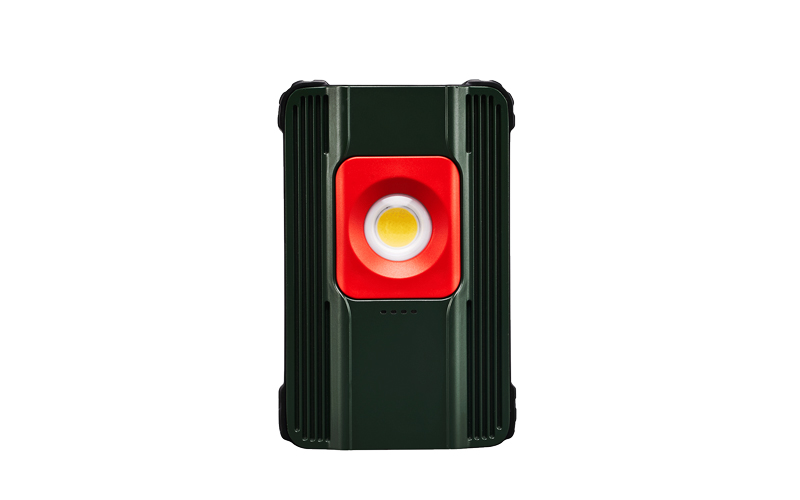
Sometimes permanent hardwiring is premature. You might manage a temporary project site or ongoing construction zone. For localized repairs, deploying a heavy-duty Motion Sensor Work Light provides immediate security. These task-specific alternatives offer robust compliance without requiring a licensed electrician for installation. They deliver commercial-grade motion detection on a portable chassis.
Chart: Feature Evaluation for Replacement Selection
Feature Category | Standard Requirement | Commercial-Grade Standard |
|---|---|---|
Ingress Protection | IP44 (Splash resistant) | IP65+ (Dust tight, water jet resistant) |
Adjustability | Basic timer only | Granular Lux, Time, and Range controls |
Housing Material | Standard molded plastic | Die-cast aluminum housing |
PIR Lens Type | Standard acrylic | UV-stabilized polycarbonate |
Comparing legacy halogen systems against modern LED arrays reveals stark differences. Feature-to-outcome mapping helps you choose the right technology. Legacy systems generate intense heat and consume massive energy. Upgrading to modern standards eliminates these drawbacks entirely.
Integrated LED arrays offer superior heat dissipation. They run exceptionally cool compared to older halogen bulbs. This thermal management significantly extends component longevity. An integrated Flood Light often delivers 50,000+ hours of reliable operation. However, you must replace the entire fixture upon failure, as the diodes are permanently fused to the board. Despite this, the extended lifespan heavily outweighs the inconvenience.
Evaluating Smart versus Standalone PIR sensors requires objective analysis. Wi-Fi-enabled sensors offer appealing app notifications. You can monitor perimeter activity directly from your phone. Yet, they introduce network vulnerabilities and require stable internet connections. Traditional, air-gapped PIR sensors offer higher standalone reliability. They function perfectly during internet outages and present zero cybersecurity risks to your home network.
Audit your current wiring setup before purchasing a replacement. Check your junction box compatibility first. Verify your voltage requirements match the new hardware. Ensuring your existing infrastructure supports the new fixture guarantees rapid, compliant installation. If you find frayed wires or corroded boxes, replace them concurrently.
Resolving motion sensor issues begins with systematic troubleshooting. Start by inspecting the hardware physically for water ingress or UV damage. Apply the soft switch reset to clear accidental manual overrides. If the unit remains unresponsive, execute a hard breaker reset to clear deep firmware hangups.
Do not compromise perimeter security with consistently failing hardware. Persistent malfunctions indicate degraded internal components. If a reset sequence does not permanently solve the issue, begin evaluating high-IP-rated LED replacements. Focus on commercial-grade weatherproofing and precise granular controls. Audit your junction box and upgrade to a reliable integrated LED system to ensure long-term perimeter safety.
A: The lux dial is likely set too high, pointing towards the 'sun' icon. This setting tells the sensor to trigger regardless of ambient light. Alternatively, the unit might be stuck in manual override mode. Adjust the lux dial towards the 'moon' icon and perform a soft switch reset.
A: Yes. While most outages only cause a temporary glitch, the surge accompanying power restoration can cause severe damage. High-voltage spikes can fry the internal relay or logic board, necessitating a full hardware replacement.
A: A quality commercial or residential sensor typically lasts 5 to 8 years. Over time, UV degradation turns the lens brittle, and thermal cycling stresses the circuit board. Once these physical components degrade, the passive infrared functionality fails.
A: Yes. Accumulation of dust, cobwebs, or hard water stains on the plastic lens blocks infrared energy. Wiping it gently with a damp microfiber cloth can quickly restore full detection range and sensitivity.

