


Views: 0 Author: Site Editor Publish Time: 2026-10-06 Origin: Site


A malfunctioning motion detector flood light frustrates homeowners and facility managers alike. Whether it sticks permanently on or refuses to trigger, this failure compromises perimeter security. It also drives up utility costs needlessly. Most sensor issues stem from minor power surges. Tripped internal relays often cause unexpected faults. Accidental manual overrides are frequently to blame as well. Fortunately, you can typically resolve these glitches using a simple hard reset. This guide provides step-by-step reset protocols and clear diagnostic criteria. You will learn to identify hardware failures confidently. We also offer a reliable evaluation framework. Use these insights to decide whether to repair or replace the faulty fixture.
A standard power cycle (cutting power for 1 to 5 minutes) resolves the majority of "stuck" sensor issues.
Accidental rapid switching often triggers a "manual override" mode, requiring a specific sequence to disengage.
Persistent failures after a reset usually indicate a burnt-out internal relay, water ingress, or degraded passive infrared (PIR) sensors.
Evaluating whether to replace a faulty unit depends on weather-sealing integrity, component age, and the availability of modernized, reliable flood light alternatives.
Unreliable perimeter lighting creates massive safety liabilities. It leaves dangerous operational blind spots around your property. Intruders prefer dark areas, and unlit pathways increase tripping hazards. Establishing the exact symptom is your very first troubleshooting step. We must identify what the hardware is doing wrong before applying a fix. Accurate diagnosis saves hours of unnecessary labor.
A light refusing to turn off is a highly common issue. Minor electrical fluctuations frequently cause this specific behavior. A sudden power surge scrambles the internal microchip memory. Homeowners also accidentally engage the manual override feature frequently. Flicking the wall switch rapidly triggers this continuous illumination mode. The system assumes you need constant light for an outdoor task.
A completely dark fixture presents a much different challenge. This symptom points directly to power delivery failures. Tripped circuit breakers block electricity from reaching the unit entirely. Blown bulbs are another extremely frequent culprit in older halogen models. In worst-case scenarios, the sensor module has failed completely. You must verify basic power flow before tearing the housing apart.
Sometimes a fixture turns on and off constantly throughout the night. We call this erratic or hyperactive triggering. Environmental factors usually cause this annoying behavior. Heating and cooling exhaust vents blow warm air across the sensor field. Passive infrared technology detects heat changes, so blowing branches often mimic human movement. Degraded sensitivity dials also ruin detection accuracy. This behavior rarely indicates a complete system crash. You usually just need to adjust the physical input dials.
We rely on three primary solution approaches to fix sensor glitches. Most models respond perfectly to these standard procedures. Follow these steps sequentially to isolate the root cause.
A simple power cycle fixes most software-level lockups immediately. Electrical static builds up inside the internal circuitry over time.
Locate the main circuit breaker controlling your outdoor lighting circuits. Do not rely solely on the interior wall switch. Residual power often remains active in the neutral lines.
Turn the correct breaker off completely. Wait a minimum of 1 to 5 minutes. Industry standards suggest 1 minute clears basic static charges. Waiting a full 5 minutes allows all internal capacitors to drain fully.
Restore power at the main breaker panel.
Allow the sensor 30 to 60 seconds to recalibrate its baseline environment. Walk across the detection zone to test basic functionality.
Many homeowner-grade units feature a hidden manual override function. This mode forces the light to stay on continuously for evening events. It engages if someone flicks the wall switch on and off rapidly. Guests or children often do this by accident.
To disengage this mode, follow a precise timing sequence.
Turn the connected wall switch to the OFF position.
Count exactly 10 seconds.
Turn the switch back to the ON position.
This timing sequence forces the internal relay to reset itself. The fixture should revert immediately to standard auto-sensing mode.
Physical dials control how the fixture reacts to motion events. Misconfigured dials easily mimic actual hardware faults. Reset these dials to their lowest baseline settings.
Turn the "Range" or "Sensitivity" dial to its absolute minimum.
Turn the "Time-On" dial to the shortest possible duration.
Adjust the "Lux" or "Daylight" dial to the nighttime moon icon.
Test the light by walking past the sensor lens. Slowly increase the sensitivity dial until you achieve your desired results. This process completely isolates hardware faults from user-error settings.
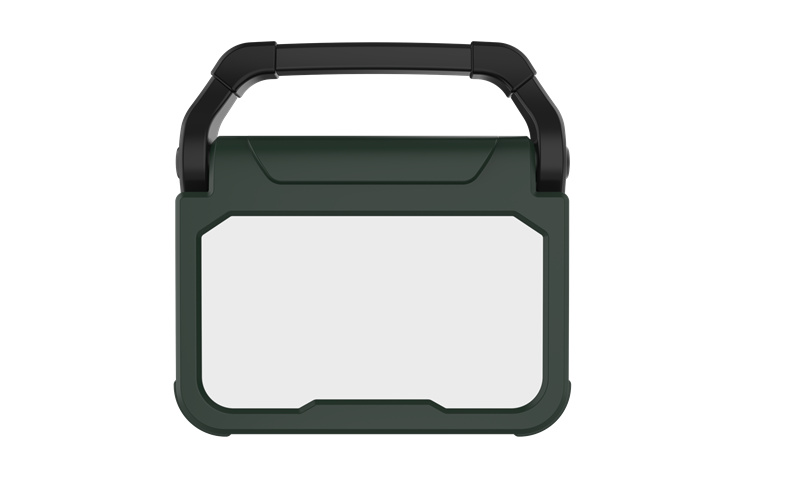
Resetting an outdoor fixture should remain an occasional maintenance task. If resets become a recurring weekly requirement, the hardware is failing. The unit is likely experiencing irreversible mechanical decline.
Watch out for distinct physical degradation indicators. Some specific failures demand immediate unit replacement.
Burnt Relays: Listen closely when the sensor triggers on. You should hear a distinct audible "click." This sound indicates the internal mechanical relay closing the electrical circuit. If you hear nothing, the switch mechanism is permanently fused.
Environmental Damage: Inspect the plastic passive infrared (PIR) lens. Visible condensation inside the plastic housing indicates a critical seal failure. Check the exposed terminal blocks for severe rust. These issues are incredibly common in units lacking proper IP65 weather ratings. Water ingress destroys sensitive circuit boards very quickly.
UV Degradation: The plastic sensor lens turns cloudy over years of intense sun exposure. This cloudiness ultimately blocks infrared heat signatures from reaching the internal sensor array.
Sometimes replacing the unit offers far better long-term reliability. Legacy halogen or incandescent setups waste tremendous amounts of electrical energy. They also require frustrating, frequent bulb changes. Moving to integrated LED systems improves overall reliability significantly. LED boards generate less heat, protecting the internal electronics.
Consider comparing standalone sensors wired to basic lights against modern integrated security lighting. Smart fixtures offer phone alerts and highly customizable detection zones.
Fixture Maintenance Action Matrix
Observed Condition | Recommended Action | Expected Outcome |
|---|---|---|
Light stays on after power surge | Perform a 5-minute hard reset | Restores standard auto-sensing |
Missing audible click upon trigger | Replace the entire fixture | Resolves fused internal relay |
Moisture trapped inside the PIR lens | Upgrade to an IP65 rated unit | Prevents future water ingress |
Frequent hyperactive daytime triggering | Adjust the lux and sensitivity dials | Eliminates daylight false alarms |
If your fixture shows obvious irreversible failure, you must select new hardware. Choose replacements based entirely on your primary use-case and local environment. Proper shortlisting logic prevents future maintenance headaches.
A permanent perimeter fixture demands high durability and weather resistance. You need reliable equipment built to withstand extreme seasonal weather. Look for an IP65 water resistance rating at minimum. Dual-head articulation allows you to aim illumination exactly where needed. Adjustable detection zones prevent frustrating false triggers from passing street cars. High-quality sensors offer 180 or even 270 degrees of true coverage.
Evaluate hardwired versus solar-powered options carefully. Your existing electrical infrastructure heavily dictates this choice. A hardwired Flood Light delivers incredibly consistent, high-lumen output. It never suffers from depleted batteries during long winter nights. Solar units work best for remote sheds lacking dedicated AC power lines.
Not all security or illumination needs are permanent. Construction job sites, unpowered outbuildings, and temporary home renovations require flexible lighting solutions. A highly portable unit provides exceptional versatility in these challenging scenarios.
You might consider deploying a robust Motion Sensor Work Light for temporary setups. Evaluate these specific units based on overall portability and peak lumen output. Battery life directly dictates operational efficiency on active construction sites. A ruggedized exterior housing protects the internal components from accidental drops. These highly adaptable lights offer immediate security while you carefully plan permanent installations.
Working around household electricity carries inherent dangers. You must follow strict safety protocols before attempting any physical repairs. Careless mistakes lead to severe shocks or electrical fires.
Always verify power is completely dead at the external fixture. Use a reliable non-contact voltage tester pen. Touch the tester directly to the external wires before starting work. Never trust a wall switch to cut power fully. Sometimes incorrectly wired neutral lines still carry a highly dangerous load. Safety must remain your absolute priority.
Physical installation quality directly determines fixture longevity.
Ensure all wire nuts are completely secure and tightly twisted.
Tuck all electrical connections safely inside a weatherproof junction box.
Apply a high-quality silicone sealant around the exterior base plate.
Sealant prevents moisture ingress behind the mounting bracket effectively. Water damage likely destroyed your previous exterior sensor. Do not repeat the exact same installation mistake twice.
You should consult a certified electrician under specific dangerous conditions.
Breaker resets cause audible buzzing sounds or visible sparks.
Wall wiring lacks standard modern color-coding completely.
You plan to integrate multiple distinct lights onto a single sensor relay.
Professional electricians ensure your lighting array meets all local electrical codes. They also prevent dangerous circuit overloads from occurring.
Most motion sensor issues resolve surprisingly quickly. A simple breaker-level power cycle fixes stubborn software glitches. Disengaging the manual override cures annoying "stay-on" symptoms immediately. However, outdoor sensors possess a strictly finite lifespan. Internal relays fuse shut, and plastic lenses degrade heavily over time.
Perform the full 5-minute hard reset first. If your light remains completely unresponsive or stuck, begin evaluating modern replacement fixtures. Prioritize units offering superior weatherproofing and high LED energy efficiency. Proper hardware maintenance and timely modern upgrades guarantee reliable long-term perimeter security.
Actionable Next Steps:
Shut off the main breaker for a full 5 minutes today.
Inspect the plastic sensor lens closely for trapped internal moisture.
Test the manual override reset sequence exactly as timed above.
Upgrade to a certified IP65-rated fixture if soft resets fail repeatedly.
A: It is likely stuck in manual override mode or the internal relay has fused closed due to a power surge.
A: While 30 seconds works for some models, leaving the breaker off for a full 5 minutes ensures all internal capacitors drain, guaranteeing a complete factory reset.
A: Yes. In some series-wired fixtures, a blown bulb can disrupt the circuit, preventing the sensor from operating correctly. Always verify bulb functionality first.
A: The outage itself doesn't break them, but the power surge when electricity is restored can scramble the sensor's microchip or trigger the manual override feature.

