


Views: 0 Author: Site Editor Publish Time: 2026-09-18 Origin: Site


A poorly calibrated Flood Light creates severe operational liabilities. It drains energy through continuous false triggers or fails to activate when a perimeter is compromised. Understanding how to adjust these settings is not just a routine maintenance task. It is a critical evaluation criterion when selecting lighting systems for commercial properties, active worksites, or high-security residential zones. Misconfigured sensors routinely cause unwanted light pollution, nuisance complaints, and mask genuine security threats.
This guide breaks down the mechanics of adjusting motion sensors. We will contrast traditional manual configurations against modern software-based controls. We also provide a practical framework for evaluating which hardware aligns best with your scalability and compliance needs. You will learn how to optimize range, time, and ambient light thresholds. Proper calibration directly solves these operational challenges and maximizes hardware reliability.
Three Core Metrics: Effective calibration relies on balancing Sensitivity (Range), Time (Duration), and LUX (Daylight sensing).
Control Modalities: Traditional dials offer immediate, localized control, while app-based systems provide scalability and precise auditing for larger deployments.
Environmental Variables: Wind, temperature drops, and foliage routinely cause false triggers; hardware evaluation must account for sensor shielding and localized zoning.
Buying Implication: The complexity of the adjustment process directly impacts long-term maintenance costs and operational efficiency.
Misconfigured lighting systems generate measurable business problems. Every false trigger consumes excess electricity. Over time, this localized energy waste aggregates into significant operational drain. Furthermore, misdirected illumination creates light pollution. Many municipalities enforce strict dark-sky compliance ordinances. A poorly aimed sensor violating these local codes invites fines and nuisance complaints from neighbors. More importantly, incorrect settings introduce severe security vulnerabilities. If a light activates constantly due to swaying branches, security personnel will eventually ignore it. This phenomenon is known as alarm fatigue. It completely undermines the purpose of perimeter lighting.
We must define what a properly adjusted system looks like. Success criteria include reliable activation strictly within the targeted zone. The fixture must exhibit zero daytime misfires. It should also maintain an appropriate illumination duration based on the specific use case. The light must activate quickly, illuminate the intended area, and turn off immediately once the area clears.
Operators must distinguish between adjusting settings for a security perimeter versus continuous visibility requirements. A security fixture requires high sensitivity and short bursts of intense light to startle intruders. Conversely, configuring an LED Work Light for active night construction demands a different approach. Worksite illumination often requires continuous operation or highly forgiving motion thresholds to prevent abrupt blackouts while personnel handle dangerous equipment.
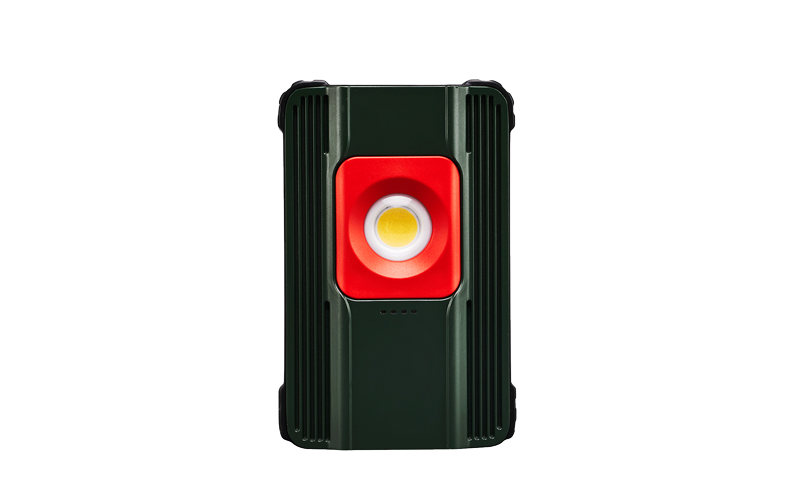
Most commercial and consumer units rely on three standard hardware adjustment dials. They typically sit directly beneath the sensor housing. Understanding these three mechanical dimensions is the foundation of effective calibration.
The sensitivity dial controls the detection range. Most exterior fixtures utilize passive infrared (PIR) sensors. These sensors detect sudden changes in heat signatures across a segmented grid. A human walking into the detection cone creates a thermal contrast against the ambient background. However, PIR sensors are highly sensitive. Dialing back the sensitivity is often necessary to exclude street traffic, passing animals, or neighboring property lines. If a passing car’s engine heat triggers the fixture, you must incrementally turn the SENS dial counterclockwise until the false alerts stop.
The time dial dictates how long the illumination remains active after detecting motion. Standard industry durations range from 30 seconds to 10 minutes. You must evaluate the right duration based on your specific environment. Security applications generally benefit from shorter durations. A sudden flash of light lasting 60 seconds alerts observers and startles trespassers. Longer durations simply assist intruders by providing steady illumination. In contrast, simple pathway navigation or loading dock operations might require a five-minute duration. This prevents the lights from shutting off prematurely while workers briefly step out of the sensor zone.
The LUX dial controls the photocell mechanism. This component measures ambient daylight. The photocell ensures the fixture only draws power when natural light drops below a specific threshold. The dial usually features a "moon" icon on one end and a "sun" icon on the other. Setting the dial toward the moon ensures the light remains inactive until complete darkness. Setting it toward the sun allows the motion sensor to trigger even during the day. Proper LUX calibration stops wasteful daytime misfires.
Table 1: Standard Motion Sensor Calibration Dials
Dial Label | Function | Primary Use Case | Common Calibration Mistake |
|---|---|---|---|
SENS (Sensitivity) | Adjusts thermal detection range | Setting perimeter boundaries | Leaving at maximum, catching street traffic |
TIME (Duration) | Controls light activation length | Determining response duration | Setting too long, draining energy unnecessarily |
LUX (Ambient Light) | Sets daylight threshold | Preventing daytime activation | Testing during twilight, skewing baseline |
Evaluating hardware requires contrasting the physical maintenance of traditional analog sensors with modern smart-sensor technology. The adjustment modality you choose directly influences long-term facility management.
Traditional manual dials present distinct scalability and adoption risks. Adjusting an analog sensor is a physical task. It requires ladders, safety gear, and dedicated labor hours. Safety protocols mandate isolating the power supply at the breaker box before opening electrical housings or making prolonged adjustments. Furthermore, analog calibration requires iterative nighttime testing. A technician makes a tiny turn on the LUX dial, waits for darkness, tests the trigger, and repeats the process. For a facility with fifty exterior fixtures, this trial-and-error methodology causes massive operational bottlenecks.
Modern commercial setups increasingly utilize app-based adjustments. Ecosystems like Google Home, Nest, or enterprise-grade software allow digital configuration. These systems introduce massive advantages for large-scale deployments.
Remote Sensitivity Toggling: Facility managers can adjust PIR thresholds directly from a dashboard.
Drag-and-Drop Masking Zones: Users can draw customized detection boundaries on a screen, digitally blocking out roads or swaying trees without physically taping the sensor.
Firmware Updates: Manufacturers can push algorithms that better distinguish between human thermal signatures and small animals.
Data Auditing: The software logs exact activation times, helping security teams identify intrusion patterns.
However, operators must transparently note the dependency on stable network architecture. Smart systems require robust Wi-Fi or mesh networks. If the localized network drops, remote adjustability becomes temporarily impossible. This potential failure point demands careful consideration during the hardware procurement phase.
Chart: Analog vs. App-Based Control Capabilities
Feature Category | Analog / Manual Dials | App-Based / Smart Controls |
|---|---|---|
Adjustment Method | Physical rotation of localized dials | Digital sliders and UI interfaces |
Zone Customization | Physical tape or plastic hoods | Digital polygon masking on a map |
Scalability | Poor (Requires individual attention) | Excellent (Bulk updates across fleet) |
Failure Mode | Hardware wear, water ingress | Network outages, software bugs |
Professional installers rarely rely on guesswork. They use evidence-oriented field testing to verify threshold limits. Understanding how to troubleshoot environmental variables separates a functional system from a nuisance.
You do not have to wait for complete nightfall to verify sensor boundaries. The industry-standard "Walk Test" allows daytime verification of the SENS dial.
Engage Test Mode: Turn the TIME dial to its absolute minimum setting (often marked as "Test").
Override LUX: Turn the LUX dial completely toward the "Sun" icon so the sensor triggers in daylight.
Establish the Perimeter: Walk horizontally across the desired detection boundary. Do not walk directly toward the sensor, as PIR grids detect lateral movement much faster.
Observe the Activation: Note precisely where you step when the light clicks on.
Adjust and Repeat: If it triggers too early, reduce the SENS dial. Once the boundary is perfect, return the TIME and LUX dials to their operational nighttime settings.
Experience dictates that environment profoundly impacts PIR reliability. Passive infrared sensors look for moving heat. HVAC exhausts blowing warm air across a sensor face will trigger constant false positives. Seasonal temperature fluctuations also disrupt baselines. On a hot summer night, the ambient air temperature closely matches a human body. The sensor struggles to see the contrast. Conversely, a freezing winter night makes human heat signatures stand out brilliantly, sometimes making the sensor overly sensitive.
Swaying tree branches are another common culprit. Branches themselves do not emit heat, but as they sway, they expose and conceal background heat sources. You can physically manipulate the hardware to fix this. Adjust the downward angle of the sensor head. This artificially restricts the detection cone, aiming it directly at the ground rather than the tree line. You can also apply electrical tape to the top half of the sensor lens to blind it to higher elevations.
Standalone or temporary lighting introduces a unique set of challenges. When positioning an LED Work Light equipped with a built-in sensor on a job site, you must perform daily recalibrations. Shift changes, shifting heavy equipment, and altering personnel zones constantly redefine the necessary detection area. Portable units must feature highly accessible dials. If the adjustment mechanisms are too complex or buried behind screwed-in panels, site workers will simply bypass them or leave the light running constantly.
When selecting new hardware, adjustability serves as a core purchasing criterion. Do not treat motion sensors as an afterthought. Use a strict decision framework to evaluate potential upgrades.
If you are replacing outdated units experiencing high false alarm rates, prioritize dual-technology sensors. These units combine traditional PIR with Microwave technology. Microwave sensors emit a continuous radar pulse. They measure the Doppler shift of returning waves. By requiring both a heat change (PIR) and physical volume movement (Microwave) to trigger the light, these dual systems virtually eliminate false positives caused by wind or temperature spikes.
If you are scaling a facility or outfitting a large commercial compound, prioritize centralized, app-managed units. You must move away from analog dials. The upfront hardware premium pays dividends by drastically reducing maintenance labor hours. When security protocols change, you can update the duration and sensitivity of fifty units simultaneously from a control desk.
Hardware longevity relies entirely on environmental sealing. Remind buyers to verify the IP (Ingress Protection) ratings specifically around the adjustment dials. Manufacturers often boast an IP65 rating for the main light casing but use cheap rubber gaskets over the SENS and TIME dials. These gaskets dry rot quickly under UV exposure. Once the rubber cracks, water runs down the dials directly into the relay circuitry. This causes premature failure. Look for units featuring recessed dials or robust, screw-down waterproof covers.
Proper adjustment of a flood light bridges the gap between raw hardware capability and real-world performance. You cannot expect reliable security or optimized energy usage from out-of-the-box factory settings. The environment dictates the necessary calibration. Balancing sensitivity, duration, and ambient light thresholds guarantees the system performs precisely as intended.
Whether manually tweaking a localized fixture or deploying a fleet of smart sensors, prioritize equipment offering transparent, easily accessible adjustment mechanisms. Hard-to-reach or poorly sealed dials turn minor adjustments into costly operational headaches. Dual-technology sensors and robust IP ratings offer superior reliability over cheaper alternatives.
Your next step should be auditing current fixture settings before committing to a full system replacement. Conduct a daytime walk test on problem units. Realign downward angles to mitigate environmental variables like trees and HVAC vents. If manual adjustments continue causing operational bottlenecks across a large campus, begin migrating to software-controlled hardware. Moving to an app-based ecosystem streamlines maintenance and provides the auditing capabilities modern security demands.
A: Your fixture is likely stuck in "manual override" mode. This feature allows continuous illumination and is often triggered accidentally by flipping the main wall switch twice rapidly. To fix this, reset the fixture by cutting power at the breaker or switch for exactly 60 seconds. If the light still stays on after power is restored, the internal relay switch has likely failed, and you need to replace the sensor unit.
A: You should start at maximum sensitivity during a daylight walk test. Walk the absolute perimeter of your desired zone. Incrementally reduce the dial setting until peripheral triggers, such as passing cars or pedestrian traffic on the sidewalk, are completely eliminated. This ensures maximum coverage without inviting nuisance triggers.
A: Yes. Extreme cold makes PIR sensors overly sensitive to minor heat variations, expanding their effective range. Conversely, extreme summer heat can camouflage human thermal signatures against the hot background air, requiring you to increase sensitivity. You routinely need to perform seasonal dial adjustments to maintain consistent accuracy.
A: Most smart units cache their last-saved settings locally within their internal memory. This means they will still operate via your configured parameters (sensitivity, time, and zoning) during an internet outage. However, you will temporarily lose the ability to make remote adjustments or receive digital push notifications until the network restores.

